
How to Save 20+ Hours Per Week Using AI Tools: Complete Productivity Guide

Most people do not need more productivity advice. They need fewer repetitive tasks.
If your week disappears into emails, meeting notes, research tabs, content drafts, admin work, and “quick” tasks that somehow take an hour you are not alone. And more apps are not the answer. The real answer is knowing how to save time with AI tools in a way that actually fits your work.
This guide gives you a realistic, step-by-step system. No hype. No “AI will do everything” promises. Just a practical workflow showing you how to use AI to plan better, write faster, summarize meetings, automate repetitive tasks, research smarter, and manage business work with less manual effort — across the entire week.
By the end, you will have a clear AI productivity stack, 10 ready-to-use prompts, and a weekly workflow you can start using today.
What Does It Actually Mean to Save 20+ Hours Per Week?
Saving 20 hours a week does not come from one AI tool. It comes from stacking smaller time savings across the tasks that already eat your day.
Here is a realistic example of where those hours come from:
| Weekly Task | Manual Time (hrs) | With AI (hrs) | Time Saved (hrs) |
|---|---|---|---|
| Email replies and follow-ups | 5.0 hrs | 2.0 hrs | 3.0 hrs |
| Meeting notes and summaries | 4.0 hrs | 1.0 hrs | 3.0 hrs |
| Research and competitor analysis | 5.0 hrs | 2.0 hrs | 3.0 hrs |
| Content drafts and outlines | 6.0 hrs | 2.5 hrs | 3.5 hrs |
| Reports and data summaries | 4.0 hrs | 1.5 hrs | 2.5 hrs |
| Task planning and prioritization | 3.0 hrs | 1.0 hrs | 2.0 hrs |
| Repetitive admin workflows | 5.0 hrs | 1.5 hrs | 3.5 hrs |
| Total | 32.0 hrs | 11.5 hrs | 20.5 hrs |
Total: 20+ hours saved per week.
The critical point: AI works best on repeatable workflows, not random one-time prompts. When you build a system, the time savings compound every single week.
The Right Way to Save Time with AI Tools
The biggest mistake most people make is opening ChatGPT, Gemini, Claude, or Copilot and throwing random questions at it without a plan.
A smarter approach is to divide your work into five categories:
- Thinking work: planning, brainstorming, decision-making
- Writing work: drafts, outlines, emails, reports
- Research work: summaries, comparisons, competitive analysis
- Communication work: follow-ups, client messages, internal updates
- Repetitive workflow work: data entry, notifications, CRM updates
Then match each category with the right AI tool.
You do not need 25 AI tools. Most people get serious results from a focused stack of 5 to 7 tools used consistently. We cover recommended stacks later in this guide and you can also check out our roundup of the best AI tools for 2026 for a deeper breakdown by category.
Step 1: Audit Where Your Time Really Goes
Before you save time with AI tools, you need to know what is actually wasting your time.
For one week, track your work under these categories:
- Email and messages
- Meetings
- Research
- Writing
- Reporting
- Admin tasks
- Data entry
- Content creation
- Customer or client follow-ups
- Planning
Then ask one honest question: Which of these tasks are repetitive, text-heavy, research-heavy, or rule-based?
Those are almost always the best candidates for AI.
Quick example: A real estate agent may spend hours replying to buyer questions, summarizing property details, writing listing descriptions, and following up with leads. A small business owner may spend hours on customer replies, social media posts, invoices, and lead tracking. A finance blogger may lose entire days to research tabs and content organization.
AI does not replace any of these tasks. It makes them take a fraction of the time.
Step 2: Save Time with AI Tools for Weekly Planning
One of the fastest ways to use AI productively is to plan your week before it starts every Sunday or Monday morning.
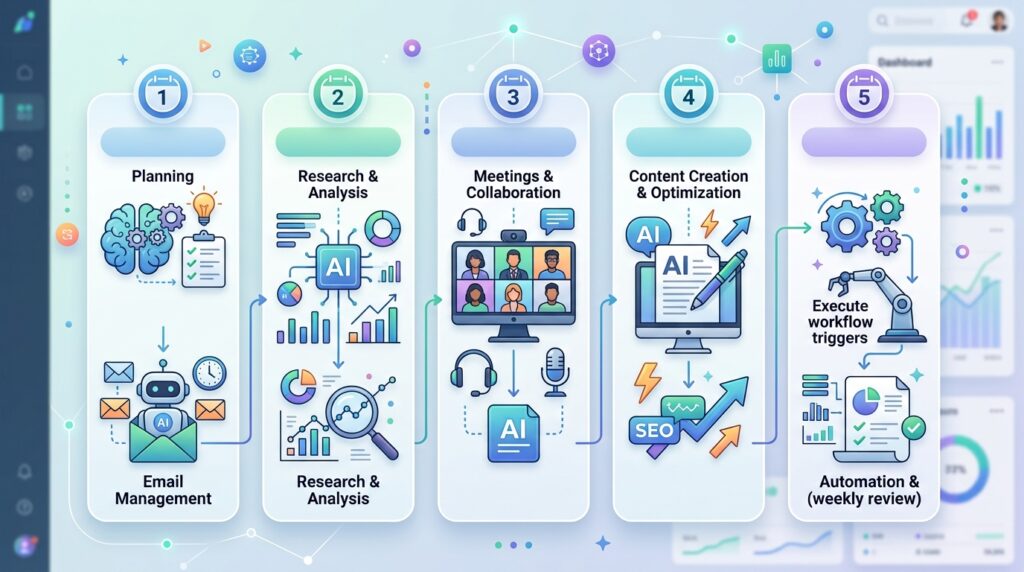
Most people create a task list. That is not enough. A useful weekly plan includes priority ranking, time blocks, energy levels, and a realistic workload estimate. AI can do all of that in under 5 minutes.
Weekly Planning Prompt
Paste this into your AI tool with your task list:
“Act as my productivity planner. I will give you my tasks for the week. Group them by priority, estimate how much time each task will take, identify tasks I can delegate or automate, and create a realistic 5-day schedule. Keep deep work in the morning and admin work later in the day.”
Sample Output to Expect
- Monday AM: Deep work on article draft
- Monday PM: Email replies and admin
- Tuesday AM: Research and analysis
- Wednesday: Client calls and follow-ups
- Thursday: Content publishing and reporting
- Friday: Review, cleanup, and next-week planning
This single habit can save 1–2 hours per week just by eliminating the constant “what should I work on now?” decisions.
Step 3: Save Time on Email and Communication
Email is one of the easiest places to save time with AI tools — and one of the most underused.
Use AI to:
- Draft replies
- Shorten long responses
- Make messages more professional
- Create follow-up templates
- Summarize long email threads
- Write cold outreach emails
- Handle customer support responses
Email Prompt
“Rewrite this email to sound clear, professional, and friendly. Keep it short. Do not over-explain. Add a clear next step at the end.”
Follow-Up Prompt
“Write a polite follow-up email for a prospect who has not replied in 5 days. Keep it natural, not pushy. Mention the original offer briefly and ask if they want more details.”
The Template Library Strategy
Instead of writing every email from scratch, build a small library of reusable AI-generated templates:
- New lead replies
- Proposal follow-ups
- Payment reminders
- Meeting confirmations
- Client onboarding messages
- Review requests
Personalize when needed. The template does the heavy lifting.
Estimated time saved: 3–5 hours per week.
Step 4: Use AI Meeting Tools to Save Hours Every Week
Meetings are expensive not just because of the time they take, but because of the hours of follow-up work they create afterward.
Someone has to write notes, remember decisions, assign tasks, send summaries, and follow up on action items.
AI meeting tools like Otter.ai and Fireflies handle all of that automatically.
What AI Meeting Tools Can Do
- Record and transcribe calls
- Extract key decisions
- Generate action items
- Draft follow-up emails
- Summarize sales calls
- Update CRM fields
Meeting Summary Prompt (If You Already Have a Transcript)
“Summarize this meeting in five sections: key discussion points, decisions made, action items, deadlines, and follow-up message. Keep it concise and business-ready.”
Real example: A sales team can use AI to summarize discovery calls and update the CRM with client pain points, budget, timeline, and next steps automatically, after every call.
Estimated time saved: 2–4 hours per week.
Step 5: Save Time with AI Tools for Research
Research is where AI creates massive time savings but only when used correctly.
Never treat AI as a final source of truth. Use it to organize research, compare options, summarize documents, and generate frameworks. Then verify important claims from reliable sources.
What AI Can Handle in Your Research Process
- Summarizing long articles
- Comparing tools or products
- Creating pros and cons tables
- Extracting key points from PDFs
- Finding content gaps
- Creating research briefs
- Explaining complex topics
- Turning messy notes into structured outlines
Research Brief Prompt
“Create a research brief on this topic. Include the main points, common questions people ask, possible subtopics, examples, and what information must be verified before publishing.”
For a deeper look at how AI handles research and content workflows, check out our guide on AI tools for entrepreneurs.
Estimated time saved: 3–5 hours per week.
Step 6: Use AI for Writing Faster — Without Sacrificing Quality
AI writing tools are powerful, but only when you guide them well.
Do not ask AI to “write an article” and publish the output as-is. Generic content ranks poorly and reads poorly. Instead, use AI for the parts of writing that slow you down:
- Outlines and structure
- Draft sections
- Examples and analogies
- Title variations
- FAQs and meta descriptions
- Rewriting rough text
- Simplifying complex paragraphs
- Comparison tables
A Better AI Writing Workflow
- Research the topic yourself
- Identify your unique angle
- Ask AI for an outline
- Edit the outline manually
- Ask AI to draft one section at a time
- Add real examples, opinions, and experience
- Fact-check important claims
- Rewrite the final draft in your own voice
Writing Prompt
“Write this section in a natural, practical tone. Avoid generic advice. Use short paragraphs, specific examples, and clear steps. Do not sound promotional.”
For a complete example of AI-assisted content workflows, see our piece on Notion AI for productivity.
Estimated time saved: 4–6 hours per week.
Step 7: Save Time with AI Workflow Automation

This is where the biggest, most recurring time savings happen.
Writing prompts saves time once. Automation saves time every single week without repeating the same work.
Tools like Zapier and Make connect your apps and move information automatically, with AI baked into the workflows.
Real Automation Examples
- New form submission → AI classifies the lead → CRM updated → follow-up email drafted → Slack notification sent
- New client booked → onboarding checklist created → welcome email sent → task assigned to team member
- Blog published → social media snippets generated → scheduled to platforms → internal team notified
Business Automation Use Case: Real Estate
A visitor fills out a property inquiry form. Instead of handling it manually:
- AI classifies the lead (buyer / seller / renter / investor)
- Lead summary is generated automatically
- Lead is added to CRM with relevant tags
- Salesperson receives a notification
- Follow-up email is drafted and sent
- Reminder is created for the next day if no reply
That entire flow can run without touching it. See our full breakdown of AI workflow automation for small businesses.
Estimated time saved: 4–8 hours per week.
Step 8: Use AI for Smarter Task Management
AI can also help you decide what not to do which is often just as valuable.
A good AI task management prompt helps you identify low-priority work, tasks to batch together, and things that should be delegated or cut entirely.
Task Prioritization Prompt
“Here is my task list. Categorize each task as: urgent, important, delegate, automate, or delete. Then create a realistic schedule for today with time blocks.”
Daily Planning Prompt
“Plan my day based on these tasks. I have 6 working hours. Put the most difficult task first, group small admin tasks together, and leave buffer time for unexpected work.”
This stops you from spending your best morning energy on low-value admin work.
Estimated time saved: 1–3 hours per week.
Step 9: Build Your AI Productivity Stack
You do not need every AI tool. You need the right tool for each job.
| Need | Tool Type | Example Tools |
|---|---|---|
| General thinking and drafting | AI chatbot | ChatGPT, Claude, Gemini |
| Work documents and office tasks | AI office assistant | Microsoft Copilot, Gemini for Workspace |
| Notes and knowledge base | AI workspace | Notion AI |
| Meetings | AI meeting assistant | Otter, Fireflies, Fathom |
| Writing improvement | AI writing assistant | Grammarly |
| Automation | Workflow automation | Zapier, Make |
| Research | AI research assistant | Perplexity, ChatGPT, Gemini |
| Design and visuals | AI design tool | Canva AI, Adobe Firefly |
| Coding and technical work | AI coding assistant | GitHub Copilot, Cursor, Claude Code |
Start with one tool per category. Expand only when you hit a clear limitation.
Step 10: Your 20-Hour Weekly AI Workflow
Here is a practical weekly workflow you can copy and adapt.
Monday: Plan the Week with AI
Use AI to organize weekly goals, deadlines, meetings, and high-priority tasks. Time saved: ~1 hour
Tuesday: Batch Email and Follow-Ups
Use AI to draft replies, shorten messages, and generate follow-up templates. Time saved: 2–3 hours
Wednesday: Research and Content Work
Use AI to summarize sources, create outlines, generate content briefs, and organize notes. Time saved: 4–5 hours
Thursday: Meetings and Documentation
Use AI to summarize calls, extract action items, and create follow-up emails. Time saved: 3–4 hours
Friday: Reporting and Automation
Use AI to summarize weekly progress, generate reports, update tasks, and refine automated workflows. Time saved: 3–5 hours
Every Day: Quick AI Tasks
Rewriting, summarizing, formatting, brainstorming, quick explanations. Time saved: 1–2 hours per day
Total: 20+ hours saved per week.
Best AI Tools to Save Time at Work

1. ChatGPT
Best for brainstorming, writing, planning, coding help, summarizing, and general productivity. Use it for weekly planning, email drafts, article outlines, research summaries, and business ideas.
2. Claude
Best for long-form writing, document analysis, careful reasoning, and complex editing. Ideal for reports, research briefs, strategy documents, and policy writing.
3. Google Gemini
Best for users already inside Google Workspace, Gmail drafting, Google Docs, Sheets assistance, and meeting notes.
4. Microsoft Copilot
Best for teams in Word, Excel, PowerPoint, Outlook, and Teams. Great for PowerPoint drafts, Excel summaries, email recaps, and business reporting.
5. Notion AI
Best for organizing knowledge, notes, tasks, and team documentation. Use it for internal wikis, project notes, and content calendars.
6. Zapier
Best for automating workflows between different apps lead capture, CRM updates, email notifications, spreadsheet updates, and support workflows.
7. Make
Best for more advanced, visual automation workflows multi-step data syncing, AI-powered operations, internal reporting.
8. Otter.ai / Fireflies
Best for meeting notes and call summaries transcripts, action items, client call summaries, and sales insights.
9. Grammarly
Best for improving writing clarity and professionalism across emails, proposals, reports, and client communication.
10. Canva AI
Best for fast design and visual content social media posts, blog images, presentations, and YouTube thumbnails.
AI Productivity by Profession
For Real Estate Agents
Save time with AI tools for listing descriptions, buyer follow-ups, lead qualification, property comparison sheets, and client emails.
“Write a professional property listing description for a 3-bedroom apartment. Highlight location, natural light, family-friendly layout, nearby schools, parking, and investment value.”
For Finance Professionals
Summarize reports, explain market trends, create client updates, draft finance articles, and organize research.
“Summarize this financial report for a non-technical reader. Highlight the key risks, opportunities, and recommended actions.”
For Marketers
Create campaign ideas, ad variations, SEO briefs, social media calendars, competitor analysis, and email sequences.
“Create a 7-day content plan for a small business selling AI automation services. Include post ideas, captions, hooks, and calls-to-action.”
For Small Business Owners
Respond to customers, automate lead follow-up, write posts, summarize calls, and prepare proposals.
“Create a simple client onboarding checklist for a small digital service business. Include email, payment, project brief, timeline, and follow-up steps.”
Common Mistakes That Kill Your AI Productivity
Using too many tools. More tools ≠ more productivity. Start with one AI chatbot, one meeting tool, one writing tool, and one automation tool. Master those before adding anything else.
Publishing AI content without editing. AI drafts need real examples, fact-checking, personal insight, and human editing. Raw AI output rarely ranks or converts.
Automating broken processes. Do not automate a messy workflow. Simplify the process first, then automate it.
Trusting AI without verification. Always verify facts, prices, legal information, medical claims, and financial figures before publishing or sending to clients.
Not building templates. The real productivity gain comes from reusable prompts, email templates, workflows, and checklists — not starting from scratch every time.
10 Ready-to-Use Prompts to Save Time with AI Tools
1. Weekly Planning
“Plan my week based on these tasks. Group by priority, estimate time required, and create a realistic daily schedule.”
2. Email Reply
“Write a clear and professional reply to this email. Keep it short and end with a clear next step.”
3. Meeting Summary
“Summarize this meeting transcript into: key points, decisions, action items, deadlines, and follow-up message.”
4. Research Brief
“Create a research brief on this topic with key points, examples, subtopics, FAQs, and facts to verify.”
5. Content Outline
“Create an SEO-friendly article outline for this topic. Include H2s, H3s, FAQs, examples, and search intent.”
6. Report Summary
“Summarize this report for a busy executive. Highlight main findings, risks, and recommended actions.”
7. Automation Ideas
“Look at this workflow and suggest which steps can be automated using AI or no-code tools.”
8. Task Prioritization
“Categorize these tasks as: urgent, important, delegate, automate, or delete.”
9. Social Media Repurposing
“Turn this blog section into 5 LinkedIn posts, 5 tweets, and 3 Instagram caption ideas.”
10. Client Follow-Up
“Write a polite follow-up message for a client who showed interest but has not replied. Keep it helpful and natural.”
FAQ
What are the best AI tools to save time at work in 2025?
The best AI tools to save time with at work include ChatGPT, Claude, Google Gemini, Microsoft Copilot, Notion AI, Grammarly, Otter.ai, Zapier, Make, and Canva AI. For writing and planning, use ChatGPT or Claude. For meetings, use Otter or Fireflies. For automation, use Zapier or Make. For office work, use Microsoft Copilot or Gemini for Workspace.
How do I actually save time with AI tools every week?
The most effective approach is to build a repeatable system rather than using AI randomly. Audit your most time-consuming tasks, identify which ones are repetitive or text-heavy, and apply AI tools consistently to those specific workflows. Start with email, meetings, and research these three areas alone can save 8–12 hours per week for most professionals.
Which AI tools save the most time?
AI meeting assistants, AI email tools, AI writing assistants, and workflow automation tools consistently deliver the highest time savings. Meeting tools eliminate summary and follow-up work. Email tools cut reply time by 60–70%. Automation tools remove entire manual workflows from your plate permanently.
What are the best AI productivity tools for business?
The best AI productivity tools for business are ChatGPT or Claude for general work, Microsoft Copilot for office productivity, Gemini for Google Workspace users, Notion AI for team knowledge, Grammarly for communication quality, Otter for meeting notes, and Zapier or Make for workflow automation. Small businesses should prioritize tools that reduce admin work, lead follow-up, reporting, and content creation first.
What are the top generative AI tools for work?
The top generative AI tools for productivity are ChatGPT, Claude, Google Gemini, Microsoft Copilot, and Canva AI. ChatGPT and Claude are strongest for writing, planning, and analysis. Gemini and Copilot are most useful inside workplace apps. Canva AI handles visual content generation for marketing and social media.
Is it realistic to save 20 hours per week with AI?
Yes but it requires a system, not just occasional tool use. Saving 20 hours per week comes from stacking smaller time savings: 3 hours on email, 3 hours on meetings, 3 hours on research, 3.5 hours on writing, and so on. The total builds up quickly when you apply AI consistently to your highest-frequency tasks.
Conclusion
The professionals who get the most from AI are not the ones using the most tools. They are the ones who built a consistent system.
When you save time with AI tools across email, meetings, research, writing, reporting, planning, and repetitive workflows, the hours add up fast. That is how 3 hours here and 4 hours there becomes 20+ hours back in your week.
Start small. Pick your two or three biggest time drains. Apply one AI tool to each. Build reusable prompts and templates. Automate one workflow this week. Then build from there.
AI is not a shortcut to doing less. It is a way to do the same or more in significantly less time, with your focus where it actually belongs.
About The Author