Best AI Tools in 2026: 15 Proven Picks for Beginners, Creators & Businesses

The best AI tools in 2026 cover everything from writing and design to coding, SEO, and business automation.
The best AI tools in 2026 are not just for tech experts anymore.
Students, freelancers, designers, marketers, and business owners are now using AI tools every single day to save time, produce better work, and automate tasks that used to take hours. When I first started testing AI tools for this blog, I was completely overwhelmed by the thousands of options. I actually wasted money on tools that were pure hype. I wrote this guide so you don’t have to make the same mistakes. Many are overpriced. And a surprising number are just not worth your time.
This guide cuts through the noise. Whether you are completely new to AI or looking to upgrade your current workflow, this article will show you the best AI tools in 2026 organized by use case, explained in simple language, and backed by real criteria, not sponsored rankings.
Quick note: This article is written for beginners and intermediate users. If you already use AI tools daily, the tool comparison tables and workflow tips near the end may still be useful to you.
1. What Are AI Tools and Why Do They Matter in 2026?
AI tools are software applications that use artificial intelligence to help you complete tasks faster and more accurately.
They can write content, generate images, create videos, write code, analyze data, answer questions, edit photos, automate workflows, and much more.
What makes 2026 different is the quality gap. AI tools have improved so dramatically that outputs which required a professional team two years ago can now be done by a single person in minutes.
According to a 2025 McKinsey report, generative AI adoption across industries grew by over 60% year-over-year, with small businesses and solo creators leading the charge in practical, everyday use.
That said, AI tools are not magic. They require clear instructions, human review, and good judgment. The best results always come from combining AI speed with human thinking.
2. Best AI Tools for Beginners in 2026

I highly recommend starting simple. The very first tool I ever used was ChatGpt, and it completely changed how I work because it reduce the time for manually researching 100’s of website and then make conclusions and in fact: Gpt helped a lot in coding projects also.
You do not need 20 tools. You do not need to understand how AI works under the hood. You just need one or two tools that solve a real problem for you today.
The best AI tools for beginners are usually:
- AI chatbots: for writing, researching, summarizing, brainstorming, and answering questions
- AI writing assistants: for drafting emails, articles, captions, and messages
- AI image generators: for making graphics, thumbnails, and social media visuals
- AI note-taking tools: for summarizing videos, meetings, and documents
- AI research tools: for gathering information faster
The key point for beginners: use AI as an assistant, not a replacement. You still make the decisions. AI just helps you move faster.
What Can Beginners Use AI For?
- Writing emails and messages
- Summarizing long articles or documents
- Creating simple images from text
- Brainstorming content ideas
- Translating text into different languages
- Building study notes
- Planning blog posts or social media content
Start with one task. Get comfortable. Then expand.
3. Best Free AI Tools in 2026
Good news: some of the most powerful AI tools in 2026 have generous free plans.
The free AI tools available today are genuinely useful for testing, learning, and even producing real work as long as you understand their limits.
You can checkout about AI Search Visibility Tools: 8 Best Picks in 2026 to Track Your Brand in ChatGPT & Gemini
Free AI tool limitations typically include:
- Fewer credits or monthly usage limits
- Slower processing speeds
- Lower-quality exports or watermarked outputs
- Limited access to advanced features
My honest advice: My personal advice: stick to free plans for a few weeks. For example, I still use the free version of GPT and gemini every single day for my tasks, and I’ve never felt the need to upgrade.. If a tool saves you real time or helps you earn money, that is the one worth upgrading. Do not pay for tools you barely use.
Some categories where strong free plans exist include AI chatbots, basic image generators, writing assistants, and summarization tools.
4. Best AI Image Generators in 2026

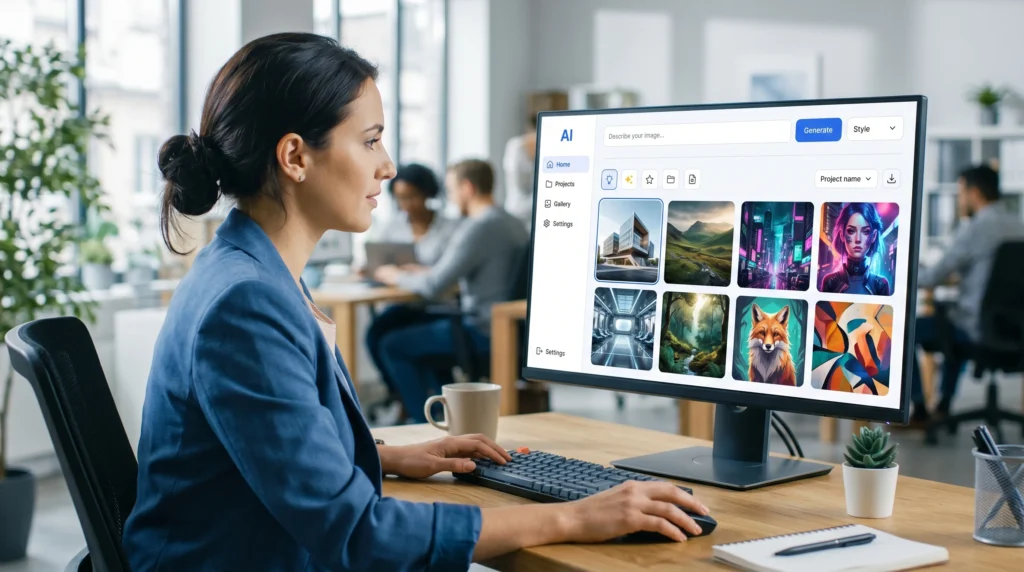
AI image generators are one of the most popular categories of AI tools and for good reason.
In 2026, AI image generators can produce photorealistic images, stylized artwork, product mockups, social media graphics, and marketing visuals all from a simple text prompt.
What Can You Use AI Image Generators For?
- Blog post thumbnails and featured images
- Pinterest pins and social media graphics
- Product mockups and concept visuals
- Marketing ad creatives
- Website hero images
- Logo concepts and graphic design inspiration
- Book covers and poster designs.
What to Look For in an AI Image Generator?
| Factor | Why It Matters |
|---|---|
| Image quality | Determines if outputs are usable professionally |
| Speed | How quickly images are generated |
| Usage rights | Whether you can use outputs commercially |
| Prompt control | How much detail you can specify |
| Price | Credits per month, cost of upgrades |
Important note on usage rights: Always check the commercial license of any AI image tool before using generated images in products, ads, or for-sale content. Platforms like Adobe Firefly are designed with commercial usage rights built in, making them particularly safe for business use.
AI Image Quality Is Now Exceptionally High
According to research by Stability AI and independent AI benchmark tests in 2025, top AI image generators now produce outputs that are indistinguishable from professional photography in many use cases. This is a significant shift from even two years ago.
5. Best AI Video Generators in 2026
Video production has always been expensive and time-consuming. AI video generators are changing that.
In 2026, AI video tools can turn text, images, or scripts into finished video content complete with voiceovers, subtitles, music, and transitions.
Who Should Use AI Video Generators?
- YouTube creators who want to produce content faster
- Social media managers who need daily short-form video
- Business owners who want product or explainer videos
- Educators creating training materials
- Marketers producing video ads at scale
What to Watch Out For
AI video tools are impressive but imperfect. Common issues include:
- Unnatural or robotic AI voiceovers
- Inconsistent character or scene continuity
- Strange visual artifacts in motion
- Generic-looking templates that feel low-effort
AI video is amazing, but it can sometimes get weird. I once tried generating a quick promo video and the AI gave the main character six fingers and a robot voice! Always double-check your videos before hitting publish
Always review AI-generated video before publishing. Small edits better music choices, a custom voiceover, or trimmed transitions can make the difference between professional and amateur-looking content.
6. Best AI Tools for Business in 2026

Small business owners are among the biggest winners from AI tools in 2026.
Why? Because AI tools for business let one person do the work of a much larger team. A solo founder or small agency can now handle customer support, content creation, marketing automation, reporting, and lead generation without hiring additional staff.
Key Business Use Cases for AI Tools
- Customer support: AI chatbots handle common questions 24/7
- Email marketing: AI writes, personalizes, and schedules campaigns
- Lead generation: AI identifies prospects and drafts outreach
- Meeting summaries: AI transcribes and summarizes calls automatically
- Reports and proposals: AI drafts first versions in minutes
- Market research: AI aggregates competitor and industry data
- Social media: AI generates post ideas, captions, and schedules
Real Impact for Small Businesses
A 2025 survey by HubSpot found that small businesses using AI tools reported saving an average of 6–10 hours per week on content and administrative tasks. That is a meaningful competitive advantage.
7. Best AI Tools for SEO in 2026
AI has become an essential part of modern SEO workflows, but it is important to use it correctly.
The best AI tools for SEO help you research faster, plan better content, and optimize more efficiently. But they do not replace the need for genuinely helpful, accurate, and well-edited content.
What AI SEO Tools Can Help With
- Keyword research and clustering
- Content briefs and outlines
- Meta title and description generation
- Internal linking suggestions
- Topic cluster mapping
- Competitor content analysis
- FAQ generation based on search intent
- Content gap analysis
The Right Way to Use AI for SEO
Google’s Helpful Content guidelines are clear: content should be created for people, not for search engines. AI can speed up research and structure, but the accuracy, examples, voice, and editing should be human.
The winning formula: Use AI for speed. Use your expertise for quality.
Tools like Semrush and Surfer SEO have integrated AI assistants that work alongside their keyword research databases making them particularly useful because they combine real search data with AI-generated suggestions.
8. Best AI Tools for Graphic Design and Photo Editing
AI has transformed graphic design workflows at every level from professional agencies to solo content creators.
For graphic designers, the best AI design tools act as a creative co-pilot. They speed up early ideation, generate variations quickly, and handle repetitive tasks like background removal or image resizing.
For non-designers, AI photo editing tools make professional-quality results accessible without years of software training.
What AI Design and Photo Editing Tools Can Do
- Remove backgrounds instantly
- Enhance and upscale low-resolution images
- Retouch portraits automatically
- Generate product mockup photos
- Create thumbnail variations at scale
- Suggest color palettes and layouts
- Generate ad creative concepts
Design professionals: Use AI to explore concepts faster. Use your eye and taste to finalize the work. AI still struggles with brand consistency, nuanced typography, and original creative direction.
9. Best AI Animation Tools in 2026
Animation used to require specialist software and significant production time. AI animation tools have made it dramatically more accessible.
In 2026, marketers, educators, and content creators can use AI animation tools to produce:
- Animated social media posts and stories
- Short explainer video clips
- Character animations for branding
- Product motion graphics
- Educational animated content
The quality varies significantly between tools. For simple social content and marketing motion graphics, AI animation delivers solid results. For complex narrative animation or brand-critical character work, human animators still bring irreplaceable creative control.
10. Best AI Coding Tools for Python and Development
AI coding tools are among the most mature and genuinely useful category in the AI landscape.
The best AI coding tools in 2026 can write code, explain code, debug errors, suggest improvements, document functions, and generate unit tests across dozens of programming languages, including Python, JavaScript, SQL, and more.
Who Benefits From AI Coding Tools?
- Beginners: Get plain-English explanations of what code does
- Intermediate developers: Speed up repetitive tasks and boilerplate code
- Advanced developers: Focus on architecture while AI handles scaffolding
- Non-developers: Use AI to write simple scripts without learning to code
Critical Warning for Developers
Never copy AI-generated code into production without reviewing it. AI can produce:
- Insecure code with unintentional vulnerabilities
- Outdated methods or deprecated libraries
- Logically plausible but factually wrong implementations
Test everything. Treat AI-generated code the way you’d treat code from a junior developer: review before it ships.
11. Best No-Code AI Tools in 2026
No-code AI tools are one of the most exciting developments for non-technical users.
The best no-code AI tools let you build apps, websites, chatbots, automations, dashboards, and workflows without writing a single line of code.
Who Should Use No-Code AI Tools?
- Founders building MVPs quickly
- Freelancers creating tools for clients
- Agencies automating internal workflows
- Small business owners building internal apps
- Marketers creating landing pages and lead capture tools
Important reminder: No-code does not mean no-thinking. You still need a clear product idea, logical structure, good testing, and genuine user feedback. AI just removes the technical barrier to building.
12. How to Choose the Right AI Tool
With so many options, how do you actually pick the right tool?
Ask yourself these six questions before subscribing to anything:
1. What specific problem does it solve? Do not use AI tools because they are popular. Use them because they solve a real, recurring problem in your work.
2. Is it easy enough to use regularly? A powerful tool is useless if it is too confusing to use consistently.
3. Does it genuinely save time? Test it for one week. If you are not clearly saving time or producing better output, move on.
4. Is the output accurate enough to trust? Check every output, especially for factual, medical, legal, or financial content.
5. Is the price justified? Start with free plans. Upgrade only tools you use 3+ times per week.
6. Does it fit your existing workflow? The best AI tool is the one that fits smoothly into how you already work, not one that requires you to change everything.
13. AI Tools by User Type
| User Type | Best AI Tool Categories | Priority Feature |
|---|---|---|
| Beginners | Chatbots, writing tools, summarizers | Simplicity |
| Students | Study tools, note-taking, research | Summarization |
| Bloggers | SEO tools, writing assistants, image generators | Content speed |
| YouTubers | Video generators, script tools, voiceover | Video output |
| Designers | Image generators, photo editors, design tools | Visual quality |
| Developers | Coding assistants, debugging tools | Code accuracy |
| Business owners | Automation, CRM, customer support AI | Workflow integration |
| Marketers | SEO tools, ad creative, social media | Campaign scale |
| Freelancers | Proposals, productivity, content tools | Time savings |
14. Common Mistakes Beginners Make with AI Tools
These are the most common ways people waste time, money, and trust with AI tools and how to avoid them.
Mistake 1: Using too many tools at once More is not better. Start with 3 tools maximum. Add more only when you have a genuine gap.
Mistake 2: Trusting AI output without checking AI can be wrong. Confidently wrong. Always verify facts, figures, names, and technical claims before publishing anything.
Mistake 3: Writing weak prompts The quality of AI output is directly linked to the quality of your input. “Write a blog post” gets a generic blog post. “Write a 500-word intro for a blog about AI tools for freelancers, in a conversational tone” gets something useful.
Mistake 4: Publishing AI content without editing Raw AI content is a first draft. It needs your examples, your voice, your facts, and your structure to become genuinely valuable.
Mistake 5: Ignoring privacy Do not upload client data, passwords, confidential documents, or sensitive business information into AI tools unless you have read and trust their privacy policy. Check the data retention and training policies of any tool you use regularly.
15. Recommended Starter Stack for 2026
If you are just starting with AI and want a simple, practical setup, here is a five-tool starter stack that covers most needs:
| Tool Type | What It Does |
|---|---|
| AI Chatbot | Writing, research, brainstorming, explanations, planning |
| AI Image Generator | Blog images, thumbnails, social media graphics |
| AI SEO Tool | Keyword research, content outlines, meta descriptions |
| AI Video Tool | Short-form content, reels, YouTube clips |
| AI Productivity Tool | Notes, summaries, email drafts, task planning |
This covers the five core workflows most creators, marketers, and business owners deal with daily. Start here. Expand when a specific need arises.
Final Verdict: Which AI Tools Should You Actually Use in 2026?
The honest answer is: it depends on your work. The best AI tools in 2026 are the ones that save you real time, produce output you can actually use, and fit into your existing workflow without friction. For beginners: start with an AI chatbot and one image tool. Build from there. For creators: focus on AI image generators, video tools, and content writing assistants. For business owners: prioritize automation, customer support AI, and marketing tools. For developers: invest in a solid AI coding assistant and a no-code tool for prototyping. The goal is not to use every AI tool. The goal is to use the right ones consistently and then let them compound over time.
FAQs
What are the best AI tools in 2026?
The best AI tools in 2026 depend entirely on your goal. Beginners should start with AI chatbots, writing assistants, and image generators. Businesses should focus on automation, customer support, marketing, and reporting tools. The most important thing is to match the tool to a real, specific problem in your workflow.
What is the best AI tool for complete beginners?
The best AI tool for beginners is an AI chatbot or writing assistant. It can help with emails, summaries, brainstorming, ideas, and explanations all through a simple conversation interface. No technical setup required.
Are free AI tools actually good enough to use?
Yes, for learning and testing. Free plans on most major AI platforms are genuinely usable and a smart way to evaluate a tool before paying. Just understand the limits: fewer credits, slower speed, and sometimes watermarked exports.